first of all i would like to thank you y brother @KenWhitesell for all caring and helping efforts
i have managed and figured out the database problem as DigitalOcean has no static IP
So i have created Database on digitalOcean platform itself instead of AWS that never accept connection from Digital Ocean, now the ongoing problems
first problem
i was trying to install Nignx Server on my Macbook Bro Latest Version Ventura 13 updated on Monterey 12
the problem is that Apache in already been merged on the system
but to attach Apache server with django it need Mod_Wasgi module
in my Environment
pip install mod_wsgi
when I run
mod_wsgi-express start-server
I got this error
No code signing authority for module at
/Users/abunagy/Projects/mysite/lib/python3.10/site-packages/mod_wsgi/server/mod_wsgi-py310.cpython-310-darwin.so
specified in LoadModule directive.
httpd (mod_wsgi-express) : Syntax error on line 163 of
/var/tmp/mod_wsgi-localhost:8000:501/httpd.conf: Code signing absent - not loading module at: /Users/abunagy/Projects/mysite/lib/python3.10/site-packages/mod_wsgi/server/mod_wsgi-py310.cpython-310-darwin.so
that mean it is not a verified application and it has to be verified in order for it to run on Mac, without it being verified and loading it in apache, the apache server will fail to start with this error:
it may be has relation to php or something that has been removed from apple silicon M1 system
so i didn’t want to complicate the problem and try to add certifications on the system for it on keychain,
as every time i had tried to work around a problem it gone worth so i left it and have tried this way
Setting up a local web server on macOS 13 “Ventura”
but no way it doesn’t do anything and i really not expert on mac system i was over 20 years windows user and this is the first mac in my life, a sold all my things and paid all what i have saved to get it, and changed my career a lot to get better job but still didn’t work yet in that field,
anyway i searched for an alternative to make that server enable https and found that Nignx do the same as apache
when i started using this mac i promised myself to use it in clean way, mean
not installing anything immediately without first see how can i uninstall it or update it, and if there is a way better than using brew package manger i go for it
ti now i never need to use brew and all my libraries are installed from sources and just path to them or using pip, if i hade to use sudo i make sure i can update or remove
anyway bro
when i tried to install Nignx using binary sources using ./configure
the PCRE wasn’t exist yet and it required it and i finally managed to get all the required packages as follows
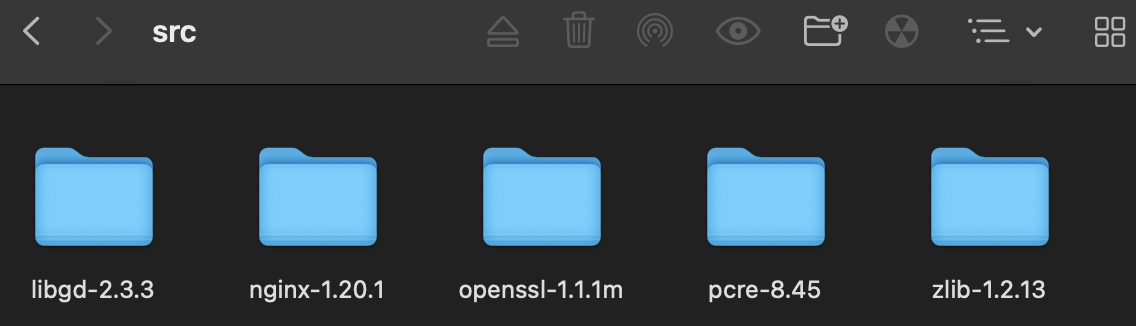
but i was then run configure more than one time
in the beginning it was clear and told me that
Configuration summary
  nginx path prefix: "/usr/local/nginx"
  nginx binary file: "/usr/local/nginx/sbin/nginx"
  nginx modules path: "/usr/local/nginx/modules"
  nginx configuration prefix: "/usr/local/nginx/conf"
  nginx configuration file: "/usr/local/nginx/conf/nginx.conf"
  nginx pid file: "/usr/local/nginx/logs/nginx.pid"
  nginx error log file: "/usr/local/nginx/logs/error.log"
  nginx http access log file: "/usr/local/nginx/logs/access.log"
  nginx http client request body temporary files: "client_body_temp"
  nginx http proxy temporary files: "proxy_temp"
  nginx http fastcgi temporary files: "fastcgi_temp"
  nginx http uwsgi temporary files: "uwsgi_temp"
  nginx http scgi temporary files: "scgi_temp"
but after missing with the configure command options a lot to complete the packages i like to add from here
http://nginx.org/en/docs/configure.html
i got this next error
checking for GD library ... not found
checking for GD library in /usr/local/ ... not found
checking for GD library in /usr/pkg/ ... not found
checking for GD library in /opt/local/ ... not found
./configure: error: the HTTP image filter module requires the GD library.
You can either do not enable the module or install the libraries.
i found on stack overflow that i have to install all missing package same way
so i proceeded to do so with
cd ../libgd-2.3.3
./configure
make
make install
it told me that terminal output finally
Support for Zlib:                 yes
   Support for PNG library:          no
   Support for JPEG library:         no
   Support for WebP library:         no
   Support for HEIF library:         no
   Support for AVIF library:         no
   Support for TIFF library:         no
   Support for Freetype 2.x library: no
   Support for Fontconfig library:   no
   Support for Xpm library:          no
   Support for liq library:          no
   Support for complex text:         no
   Support for pthreads:             yes

checking that generated files are newer than configure... done
configure: creating ./config.status
config.status: creating Makefile
config.status: creating src/Makefile
config.status: creating tests/Makefile
config.status: creating config/Makefile
config.status: creating config/gdlib.pc
config.status: creating src/config.h
config.status: executing depfiles commands
config.status: executing libtool commands
i cd back to Nignx folder and tried to configure it again with same long command ./configure
but this time it didn’t give me the previous paths to default folders and the same error exists
./configure: error: the HTTP image filter module requires the GD library.
You can either do not enable the module or install the libraries.
as i never install GD at all
i ignored it this time and continue to run
make
make install
i am sudo so never need to use it but i got this error
make: *** No rule to make target `build', needed by `default'. Stop.
i am still suspended three courses A Computer Systems Programmer_s Perspective CS 107 and going on Algorithms and data structure from Stanford University, so it’s still long journey and i started it from the applied end not from the theoretical, to find a job fast but now i have to back to the theoretical again cause i am trying to finish up my thesis about vision control, so any way bro i am not expert yet in c or apple system, forgive e on my dummy informations
now i have found this folder in my home
this is from the first try to configure

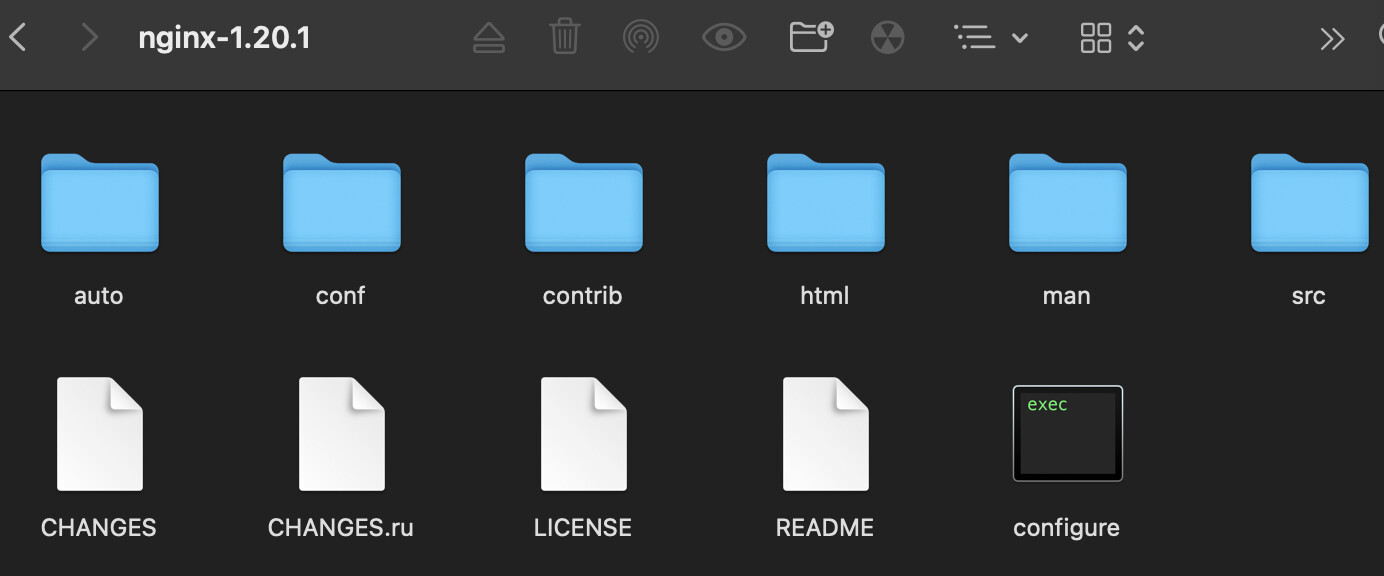
but can’t find other paths default folders a and can’t continue make install
if you have any ideas how to solve this issue hat would be great
and thanks for everything, i would tell you net problem after this one
see you bro
and have a nice day