/', RecordUpdatePage.as_view(), name= 'record_update'),
]+static(settings.STATIC_URL, document_root=settings.STATIC_ROOT)
```
urls.py outside of app (in project name folder):
```auto
urlpatterns = [
path('admin/', admin.site.urls),
path('', include('dashboard.urls')),
]+static(settings.MEDIA_URL, document_root=settings.MEDIA_ROOT)
```
I am using:
**Windows 10**
**Python 3.7.0**
**Pillow 8.2.0**
---
**Author:**  [@Spha](https://forum.djangoproject.com/u/Spha)\
**Post date:** [August 9, 2022, 11:12am UTC](https://forum.djangoproject.com/t/images-from-imagefield-dead-in-html-when-project-is-in-production-deployment-mode-debug-false/15290/5 "2022-08-09T11:12:56Z")
now showing some images, and console screenshots:

Everything is looking correct.

For people who were using a function-based view, I’ve seen them do things differently, they had access to applying more form conditions with request.FILES…I do not know how to do this when using a classed based view.
I just have this in views.py (class-based view):
```auto
class RecordDetailPage(LoginRequiredMixin, DetailView):
model = DashboardModel
template_name = "dashboard/record_detail.html"
context_object_name = 'record'
```
Dead image when Debug = False:

Same URL working when Debug = True:

---
**Author:**  [@KenWhitesell](https://forum.djangoproject.com/u/KenWhitesell)\
**Post date:** [August 9, 2022, 11:58am UTC](https://forum.djangoproject.com/t/images-from-imagefield-dead-in-html-when-project-is-in-production-deployment-mode-debug-false/15290/6 "2022-08-09T11:58:36Z")
Fortunately, your screenshot answered this question:
> [@KenWhitesell](#):
>
> Describe your production environment in detail - **what server are you running** , what operating system, etc, etc.
I can see you’re currently using runserver.
Try using the [`--insecure`](https://docs.djangoproject.com/en/4.0/ref/contrib/staticfiles/#runserver) parameter.
And keep in mind that in a production mode, you don’t _want_ Django to be serving static or media files. They should be served by the web server directly. (Which also means that in that production environment, you really don’t want your media directory to be in your project directory.)
---
**Author:**  [@Spha](https://forum.djangoproject.com/u/Spha)\
**Post date:** [August 9, 2022, 12:26pm UTC](https://forum.djangoproject.com/t/images-from-imagefield-dead-in-html-when-project-is-in-production-deployment-mode-debug-false/15290/7 "2022-08-09T12:26:56Z")
soon the plan is to deploy this on an azure instance, I was thinking django could be blocking the image files for security purposes. I tried:
python manage.py runserver --insecure
Although it didn’t seem to change the dead image issue.
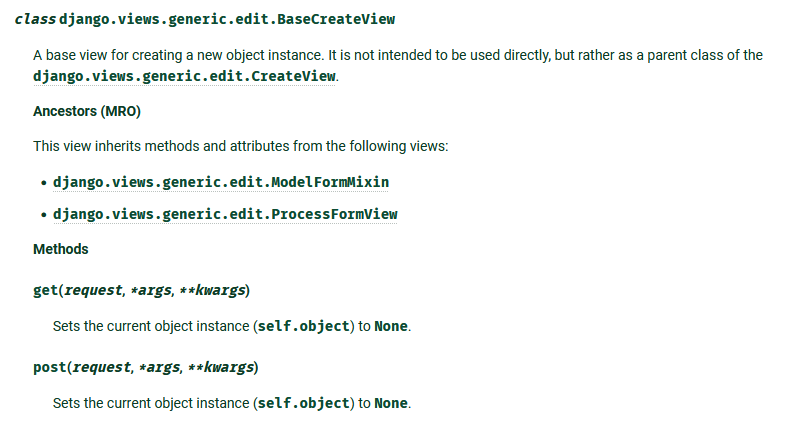
Just to be sure - I don’t need to override this CreateView method “post”?
---
**Author:**  [@KenWhitesell](https://forum.djangoproject.com/u/KenWhitesell)\
**Post date:** [August 9, 2022, 12:50pm UTC](https://forum.djangoproject.com/t/images-from-imagefield-dead-in-html-when-project-is-in-production-deployment-mode-debug-false/15290/8 "2022-08-09T12:50:00Z")
None of these other issues you keep raising are in any way relevant to this `404` issue with the images.
The browser is issuing a request - `GET /media/images/abc.jpg`.
It’s a request for a file.
It’s not a reference to a view.
None of that is at all in play here.
You’re directing runserver to retrieve a file. In a production environment, Django would not even be involved in this request.
The 404 error is the message saying that runserver can’t (or “chooses not to”) find that file.
Actually, you may be stuck here. I’m not seeing a good solution for serving media files through runserver with debug=False.
---
**Author:**  [@KenWhitesell](https://forum.djangoproject.com/u/KenWhitesell)\
**Post date:** [August 9, 2022, 1:00pm UTC](https://forum.djangoproject.com/t/images-from-imagefield-dead-in-html-when-project-is-in-production-deployment-mode-debug-false/15290/9 "2022-08-09T13:00:14Z")
Note: Something I did notice - and I’m not sure if it’s relevant in this case - [the example in the docs show STATIC\_URL](https://docs.djangoproject.com/en/4.0/ref/settings/#static-url) as being defined without a leading slash. You could try changing STATIC\_URL and MEDIA\_URL to not have the leading slash.
---
**Author:**  [@Spha](https://forum.djangoproject.com/u/Spha)\
**Post date:** [August 9, 2022, 1:00pm UTC](https://forum.djangoproject.com/t/images-from-imagefield-dead-in-html-when-project-is-in-production-deployment-mode-debug-false/15290/10 "2022-08-09T13:00:27Z")
I get this, I’m just humbled by the fact that django has so many modes and settings abstracted in the class-based view setup to the point where I’m thinking I’ve left something undone. I am also relatively new to this framework. I wish there was more information about “debug” in settings and what it really means when it is false vs. true. I’m overthinking it now and thinking that I need security validation/form validation or more.
I also have never deployed something on an azure instance, this will be a first, so I can’t tell what will happen
---
**Author:**  [@KenWhitesell](https://forum.djangoproject.com/u/KenWhitesell)\
**Post date:** [August 9, 2022, 1:03pm UTC](https://forum.djangoproject.com/t/images-from-imagefield-dead-in-html-when-project-is-in-production-deployment-mode-debug-false/15290/11 "2022-08-09T13:03:11Z")
> [@Spha](#):
>
> I need security validation/form validation or more.
You may - but if so, it would be for different reasons - it would have **nothing** to do with this.
What you may or may not have left un-done does **not** affect **this** issue. **THERE IS NO VIEW ASSOCIATED WITH THIS PROBLEM**
Please stop tying yourself in knots about this. You’re looking at so many different topics other than what needs to be addressed for this issue.
---
**Author:**  [@Spha](https://forum.djangoproject.com/u/Spha)\
**Post date:** [August 9, 2022, 1:11pm UTC](https://forum.djangoproject.com/t/images-from-imagefield-dead-in-html-when-project-is-in-production-deployment-mode-debug-false/15290/12 "2022-08-09T13:11:21Z")
the template page is connected to a DetailView class. So I wasn’t even sure whether the issue related to a view or not. Had I not asked you, I wouldn’t know eitherway, but I’m taking your word for it that it’s a server related thing
I wasn’t confident about anything seeing as we don’t get to know what Debug parameter is really doing.
I made a mock deployment on heroku, but the same issue occurred, this is a complicated issue as I am in no way knowledgeable about appllication deployments.
---
**Author:**  [@KenWhitesell](https://forum.djangoproject.com/u/KenWhitesell)\
**Post date:** [August 9, 2022, 1:40pm UTC](https://forum.djangoproject.com/t/images-from-imagefield-dead-in-html-when-project-is-in-production-deployment-mode-debug-false/15290/13 "2022-08-09T13:40:47Z")
> [@Spha](#):
>
> the template page is connected to a DetailView class.
But as explained [above](https://forum.djangoproject.com/t/images-from-imagefield-dead-in-html-when-project-is-in-production-deployment-mode-debug-false/15290/8), the retrieval of an image by the browser is a separate request and has nothing to do with the view that rendered the template containing the url to be requested.
> [@Spha](#):
>
> Had I not asked you, I wouldn’t know eitherway
Your runserver log shows this. No need to take my word for any of it.
> [@Spha](#):
>
> as we don’t get to know what Debug parameter is really doing.
Actually, you do. You have the complete Django source code available to you. If you want to find out _everything_ affected by the `debug` setting, it’s all in there.
What I can definitively tell you is that the `debug` setting is not going to change the behavior of _your_ code.
> [@Spha](#):
>
> I made a mock deployment on heroku, but the same issue occurred,
That’s yet a _different_ issue. User-uploaded files and heroku are apparently a common problem - the two don’t play nicely together. There are at least two other threads here discussing that topic that I can remember. (I don’t use heroku so I didn’t really pay close attention to it.)
> [@Spha](#):
>
> no way knowledgeable about appllication deployments.
This is probably _the_ most complex topic with Django because there are so many options and possibilities and so little of it deals with Django itself compared to its relationship to all the external components it needs to interface with.
A typical deployment for us involves at least 8 separate processes.
---
**Author:**  [@Spha](https://forum.djangoproject.com/u/Spha)\
**Post date:** [August 9, 2022, 1:48pm UTC](https://forum.djangoproject.com/t/images-from-imagefield-dead-in-html-when-project-is-in-production-deployment-mode-debug-false/15290/14 "2022-08-09T13:48:24Z")
Thanks for the insight. I would feel worse if I didn’t chat to anyone about this matter. I will do what I can.
---
**Author:**  [@Spha](https://forum.djangoproject.com/u/Spha)\
**Post date:** [August 9, 2022, 5:47pm UTC](https://forum.djangoproject.com/t/images-from-imagefield-dead-in-html-when-project-is-in-production-deployment-mode-debug-false/15290/15 "2022-08-09T17:47:25Z")
I should have said that my entire database is connected to a postgres resource on heroku, I had sort of forgotten that too. So I might have no persistent image storage location set up on this cloud. It’s over my head right now, but I found something interesting here:
> **[Managing Django Media & Static Files on Heroku with Bucketeer](https://dev.to/heroku/properly-managing-django-media-static-files-on-heroku-o2l)**
>
> This article will walk through how we correctly persist static & media files for a Django...
the plan eitherway is to use an Azure instance, so I will focus on that (I have some learning to do).
---
**Author:**  [@KenWhitesell](https://forum.djangoproject.com/u/KenWhitesell)\
**Post date:** [August 9, 2022, 5:50pm UTC](https://forum.djangoproject.com/t/images-from-imagefield-dead-in-html-when-project-is-in-production-deployment-mode-debug-false/15290/16 "2022-08-09T17:50:31Z")
> [@Spha](#):
>
> I should have said that my entire database is connected to a postgres resource on heroku, I had sort of forgotten that too.
Interesting to know, but does not affect this situation. There’s no database reference involved in retrieving a static or media file. (Well, there are some unusual cases where there could be, but there’s nothing in anything you’ve posted that indicate that any of those edge cases apply.)
---
**Author:**  [@Spha](https://forum.djangoproject.com/u/Spha)\
**Post date:** [August 9, 2022, 6:01pm UTC](https://forum.djangoproject.com/t/images-from-imagefield-dead-in-html-when-project-is-in-production-deployment-mode-debug-false/15290/17 "2022-08-09T18:01:07Z")
I can only guess that the 404 is likely due to my `ALLOWED_HOSTS` setting. I’m putting in localhost, as well as the url to my heroku app - I tried different combinations, but I keep getting the 404 as it is probably seeking an extra configuration. If I did keep everything locahost with the default SQLite database, the problem may not be there (I’m surmising however).
---
**Author:**  [@KenWhitesell](https://forum.djangoproject.com/u/KenWhitesell)\
**Post date:** [August 9, 2022, 6:09pm UTC](https://forum.djangoproject.com/t/images-from-imagefield-dead-in-html-when-project-is-in-production-deployment-mode-debug-false/15290/18 "2022-08-09T18:09:04Z")
Which 404?
> [@Spha](#):
>
> I can only guess that the 404 is likely due to my `ALLOWED_HOSTS` setting.
Nope, not the issue here. That would cause a different error.
> [@Spha](#):
>
> If I did keep everything locahost with the default SQLite database, the problem may not be there (I’m surmising however).
Nope, that’s not going to solve it either.
_This_ original problem is fundamentally caused by using `runserver` with `debug = False`. It’s just not designed to be used that way.
You **definitely** do **not** want to use _it_ when deploying your app to a public / production environment. Your deployment environment should use something like `gunicorn` or `uwsgi` for that.
Start at [Deploying Django | Django documentation | Django](https://docs.djangoproject.com/en/3.2/howto/deployment/) and work your way forward from there.