Hello!
I want to add a dynamic initial value for django-filter or django-autocomplete-light to my DetailView. I don’t know how best to build it with django-filter, django-autocomplete-light or without third app.
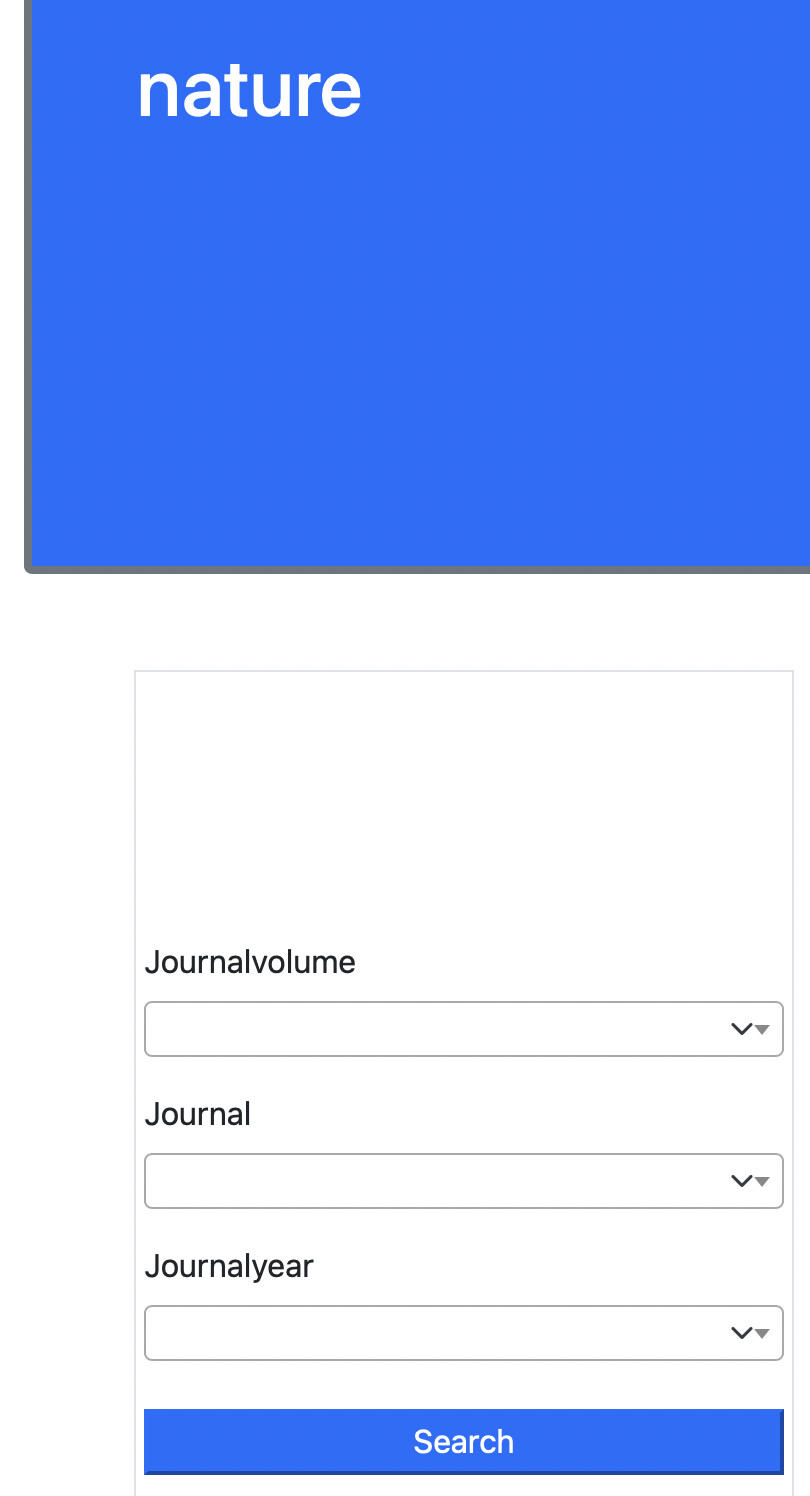
I have a dependency dropdown (in my case, this is journal → journal year → journal volume) for each JournalDetailView. And I want to pass dynamic field for journal because I have ForeignKey which is used for depends dropdown for journal year and journal volume
For example, In this case I have three fields: journal, journal year and journal volume. I want to pass value depends on DetailView for journal. For instance, for journal “Nature” it will pass field “Nature”; for journal “Ca-A Cancer Journal for Clinicians” it will pass “Ca-A Cancer Journal for Clinicians”.
models.py
class Journal(models.Model):
    slug = models.SlugField(unique=True)
    name = models.CharField(max_length=100, blank=True, null=True)


class Article(models.Model, HitCountMixin):
    slug = models.SlugField(unique=True)
    journal = models.ForeignKey(
        "Journal", on_delete=models.SET_NULL, null=True, blank=True
    )
    journalyear = models.ForeignKey(
        "JournalYear", on_delete=models.SET_NULL, null=True, blank=True
    )
    journalvolume = models.ForeignKey(
        "JournalVolume", on_delete=models.SET_NULL, null=True, blank=True
    )

    def __str__(self):
        return self.title


class JournalYear(models.Model):
    journal = models.ForeignKey(
        "Journal", on_delete=models.SET_NULL, null=True, blank=True
    )
    name = models.CharField(max_length=10, blank=True, null=True)

    def __str__(self):
        return self.name


class JournalVolume(models.Model):
    journalyear = models.ForeignKey(
        "JournalYear", on_delete=models.CASCADE, blank=True, null=True
    )
    name = models.CharField(max_length=10, blank=True, null=True)

    def __str__(self):
        return self.name
views.py
class JournalAutocomplete2(autocomplete.Select2QuerySetView):
    def get_queryset(self):
        # Don't forget to filter out results depending on the visitor !
        if not self.request.user.is_authenticated:
            return Journal.objects.none()

        qs = Journal.objects.all()

        if self.q:
            qs = qs.filter(name__icontains=self.q)

        return qs


class JournalYearAutocomplete2(autocomplete.Select2QuerySetView):
    def get_queryset(self):
        # Don't forget to filter out results depending on the visitor !
        if not self.request.user.is_authenticated:
            return JournalYear.objects.none()

        journal = self.forwarded.get("journal")

        qs = JournalYear.objects.all()

        if journal:
            qs = qs.filter(journal=journal)

        if self.q:
            qs = qs.filter(name__icontains=self.q)

        return qs


class JournalVolumeAutocomplete2(autocomplete.Select2QuerySetView):
    def get_queryset(self):
        # Don't forget to filter out results depending on the visitor !
        if not self.request.user.is_authenticated:
            return JournalVolume.objects.none()

        qs = JournalVolume.objects.all()

        journalyear = self.forwarded.get("journalyear", None)

        if journalyear:
            qs = qs.filter(journalyear=journalyear)

        if self.q:
            qs = qs.filter(name__icontains=self.q)

        return qs

class JournalListView(ListView):
    model = Journal
    template_name = "journals/journals.html"
    context_object_name = "journals"

class JournalDetailView(DetailView):
    model = Journal
    template_name = "journals/journal_detail.html"
    context_object_name = "journal"

    def get_context_data(self, **kwargs):
        context_data = super(JournalDetailView, self).get_context_data()
        journal_slug = self.kwargs.get("slug", None)
        f = JournalFilter(
            self.request.GET,
            queryset=Article.objects.filter(
                journal__slug__exact=self.kwargs["slug"]),
        )
        context_data["filter"] = f
        return context_data
urls.py
urlpatterns = [
    path("journals/", JournalListView.as_view(), name="journals"),
    path("journal/<str:slug>", JournalDetailView.as_view(), name="journal_detail"),
    # Django-autocomplete-light
    path(
        "journalyearautocomplete2/",
        JournalYearAutocomplete2.as_view(),
        name="journalyearautocomplete2",
    ),
    path(
        "journalvolumeautocomplete2/",
        JournalVolumeAutocomplete2.as_view(),
        name="journalvolumeautocomplete2",
    ),
    path(
        "journalautocomplete2/",
        JournalAutocomplete2.as_view(),
        name="journalautocomplete2",
    ),
]
filters.py
class JournalFilter(django_filters.FilterSet):
    journal = django_filters.ModelChoiceFilter(
        queryset=Journal.objects.all(),
        widget=autocomplete.ModelSelect2(url="journalautocomplete2"),
    )
    journalyear = django_filters.ModelChoiceFilter(
        queryset=JournalYear.objects.all(),
        widget=autocomplete.ModelSelect2(
            url="journalyearautocomplete2", forward=["journal"]
        ),
    )
    journalvolume = django_filters.ModelChoiceFilter(
        queryset=JournalVolume.objects.all(),
        widget=autocomplete.ModelSelect2(
            url="journalvolumeautocomplete2", forward=["journalyear"]
        ),
    )

    class Meta:
        model = Article
        fields = {"journalyear", "journalvolume", "journal"}


